
Microsoft Office - Viewing Office 2007 Files Using Older Versions of Office
| Windows 9x/2000/XP/Vista UNSUPPORTED |
NOTE: Windows 95/98, Windows Me, Windows 2000, Windows XP, and Windows Vista are no longer supported by the Help Desk. We can only provide best effort support. If we are unable to resolve your Windows 9x/2000/XP/Vista issue, you may be able to find help in Microsoft's Knowledge Base. These products are no longer actively supported by Microsoft. No further development will take place on these products and security updates are no longer issued. It is highly recommended that you upgrade to Windows 10, 8, or 7. |
In 2006, Microsoft released the Office Compatibility Pack: a tool that converts files created with the newer format of Office 2007 into file formats that can be accessed using older versions of Office.
Install Microsoft's Office Compatibility Pack
- Before you can download and install the Compatibility tool, you will first need to ensure that your Office installation is up to date. To do so, click on the Help tab in your opened file.
- Select Check for Updates. This selection should launch your default web browser and automatically navigate to the Microsoft Office Online download center for you.
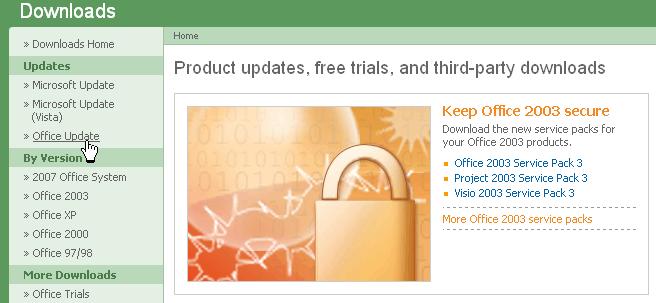
- Beneath the Updates tab in the left-hand side menu of the Downloads window, click Office Update.
- Any Office updates that require installation should then be listed below that. Install all available updates.
- Note: ActiveX may need to be installed in order to complete the above step.
- After all available updates have been installed, go to Microsoft's Compatibility Pack instruction page where you can find several different methods to download and install the Microsoft Office Compatibility Pack (methods are listed after the Introduction section).
If you need further assistance, please contact us.