
Microsoft 365 (Outlook on the web | Outlook for Windows | Mac) - Account Access Error
Note: If you are attempting to access your own NetID account and activated your account within the last last 24 hours, please wait the full 24 hours and try again. If your account was already active, you can also try activating missing services to see if the issue is resolved. If you continue to experience the issue, please contact the DoIT Help Desk.
400 bad request error

When a user is attempting to log in to their UW-Madison email account after a lapse in affiliation, they may see a "400 Bad request" error. This can occur when their account was partially deactivated due to a lapse in affiliation, and was not fully reactivated upon their return.
SAML assertion error

When a user is attempting to log in to their UW-Madison email account for the first time, they may see a “SAML assertion is not present in the token” error. This can occur when they are trying to sign in to your email before activating NetID services.
404 error

The reason you are receiving this error is because you do not have the proper mailbox permissions to access the account.
You will need to contact the owner of the account and ask them to grant you full-mailbox permissions.
- Access to a user account (another NetID@wisc.edu) - the owner of the account must grant you the necessary permissions: Microsoft 365 - Manage Full Mailbox, Send As, and Send on Behalf of Permissions.
- Access to a service account (another name@domain.wisc.edu) - a domain administrator or owner of the account must grant you the necessary permissions: Microsoft 365 - Manage Full Mailbox, Send As, and Send on Behalf of Permissions or Microsoft 365 - Create, edit, or delete a Service Account.
- Access to a resource account - a domain administrator or owner of the account must grant you the necessary permissions: Microsoft 365 - Resource Account Access.
440 - something went wrong error

When a user is attempting to log in to their UW-Madison email account after a lapse in affiliation, they may see a "440 - something went wrong" error. This can occur when their account was partially deactivated due to a lapse in affiliation or recently activated, and was not fully reactivated upon their return.
Something went wrong error

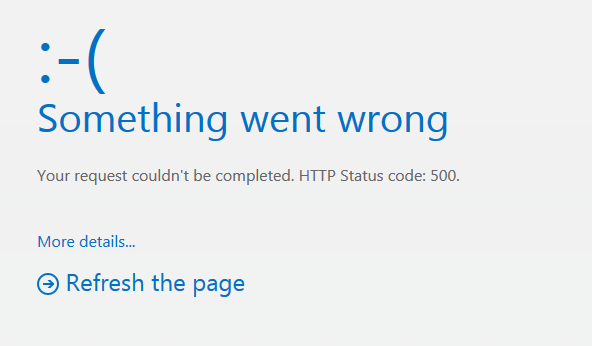

If the account address you are attempting to access is in the form of name@office365.wisc.edu, this account is not a Microsoft 365 shared mailbox or service account, but it is an Microsoft 365 group. Please review following article for Microsoft 365 Group troubleshooting/management: Microsoft 365 - Getting Started with Groups. If the account address you are attempting to access is in the form of name@domain.wisc.edu, you may be experiencing a permission or Outlook desktop client issue - please continue with troubleshooting steps outlined below.
In some cases, the assigned permissions do not get set correctly, try the following work around:
Outlook for Windows client
- Confirm the user can access the account via Outlook on the web.
- If you can access the service account via Outlook on the web, permissions are set correctly and the service account is accessible - issue now is with Outlook. Create a new Outlook profile.
- If user receives an error and cannot access the service account via Outlook on the web, see steps below.
If you the above troubleshooting does not resolve your issue, contact your domain administrator and ask that they perform the steps listed below.
- Reset Permissions
-
For shared mailbox or service account
- Follow steps to access the service account within Wisc Account Administration site.
- Within the "Permissions" page, remove the NetID having this issue. You will remove your NetID later.
- Wait 30-60 minutes.
- Within the "Permissions" page, add the NetID having this issue.
- Wait 30-60 minutes.
- Have the user log out and log back into Outlook on the web again and try accessing the account.
-
For resource account
- Follow steps to access the resource account within Wisc Account Administration site.
- Within the "Edit Resource" page, replace the 'Owner Email' with some other account. Important: You will replace this with the original account at the end of these steps.
- Wait 30-60 minutes.
- Within the "Edit Resource" page, replace the 'Owner Email' back to the original account having this issue.
- Wait 30-60 minutes.
- Have the user log out and log back into Outlook on the web again and try accessing the account.
-
Outlook does not yet support adding Shared mailboxes this way error
When attempting to add a service account to New Outlook for Windows desktop client using "Add account" action, you receive the above error.
Please review the following article to troubleshoot this issue:
For PCS staff:
See tech team thread for further details on SAML error.