
Export Registration Report
Important Notes
- Applies to: Webex Meetings and Webex Webinars
Getting Started
| 1 |
Sign in to your Webex site, then select Meetings. |
|---|---|
| 2 |
Find the meeting or event, then select Registration. |

 |
The Registration link appears only for meetings and events for which you required registration. |
|---|
| 3 |
Choose whether to view registrants by status, or to view the full list of registrants:
|
|---|---|
| 4 |
Export a list of all registrants by selecting |
 .
.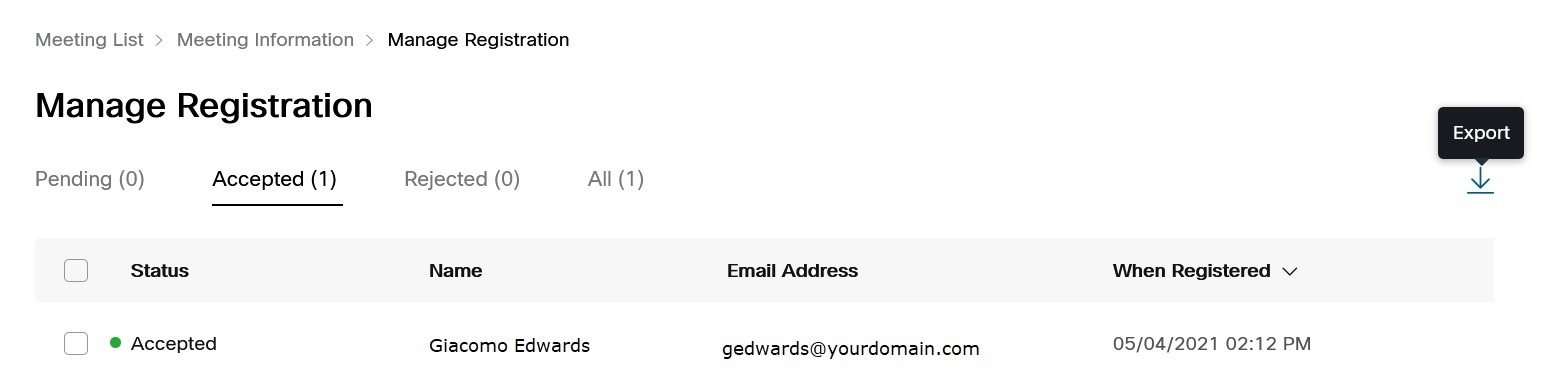
You can choose to open the file in a supported application, or to save the file on your device. The file includes the following details for each registrant:
-
Name
-
Status (Pending, Accepted, or Rejected)
-
Email Address
-
When Registered (date and time)